
The Complete Journey & Roadmap
What's shipping next, and the full journey that got GoFully here.
Built and in testing. Publishing to the Chrome Web Store next.
- Draw directly on any open page — pen, highlighter, arrows, shapes, text, and sticky notes — then capture the page exactly as marked up.
- Highlight text on the page itself, with one shortcut to start and stop.
- Your marks save for each page address on your device and return when you reopen Draw on Page there.
- Capture Element: hover, use the arrow keys to pick a parent or child, and click.
- Auto-redact finds emails, card numbers, phone numbers, ID numbers, IP addresses and API keys, and covers them with boxes you review before export.
- Search past captures by the words inside them, the page title or the address. Switch it off in Settings.
- Pin a capture over any page as a reference.
- Gather up to 30 captures, write a line under each, then export a PDF or a Markdown ZIP with its images.
- Your own image as a background, plus a built-in set of generated wallpapers.
- Border and text watermark controls, plus nine-point alignment for where the screenshot sits.
- Save, import, and export your background presets as files you can share.
- Perspective, rotation, and zoom controls for dimensional mockups.
- Progressive blur, either inside the screenshot or bleeding into the background.
- Crop now carries your existing annotations into the cropped image so they stay editable, and undo and redo restore the image size too.
- Keyboard shortcuts now always show a confirmation when a capture finishes, and a clear message (or a toolbar-icon badge on pages that can't show one) when one can't run.
- Settings lists the shortcuts Chrome has bound and flags any that another extension took.
- The OCR engine starts reliably in more browser setups.
The next release, in active development.
- Upgraded text tool — color, font, and size controls.
- Custom keyboard shortcuts for editor tools.
- Export capture + OCR'd text as Markdown.
Competitive improvements across the extension and website — more reliable captures, a redesigned export flow, and a complete homepage overhaul.
- One Image Quality setting (Low/Medium/High/Maximum) now controls both JPG and WebP exports, replacing the old JPG-only quality slider.
- Video auto-pause during capture — playing videos no longer corrupt stitched frames.
- Cookie banner and modal auto-dismiss before capture starts.
- Seam verification in scroll-stitch — detects and re-captures misaligned frame boundaries.
- Full-page capture now re-checks for sticky/fixed headers after every scroll step, fixing header duplication on sites where a header only becomes fixed after scrolling (a common WordPress/Shopify/Bootstrap pattern).
- Fixed a race where the in-page "Capturing page…" badge could occasionally get baked into the screenshot itself, across full-page, visible-area, and selected-area capture.
- Fixed the editor export crashing at 500%+ zoom — canvas.toDataURL() was multiplying from the already-zoomed display size instead of the base image.
- Screenshot history with thumbnail grid — browse and reopen past captures from the popup, stored locally on-device.
- Browser frame in Beautify now shows the real captured page URL with lock icon.
- Unsaved changes protection — warns before closing the editor with unfinished work.
- Editor toolbar now adapts to laptop/tablet widths — color swatches collapse into a popover instead of overflowing.
- Annotation color is now session-only and no longer carries over between unrelated captures.
- JPG added alongside PNG/WebP/PDF as a one-click quick-export option on the Visible Area and Selected Area result cards, not just the full editor.
- Popup and settings version number now reads live from the extension manifest instead of a hardcoded string that had drifted out of date.
- Rectangle and Ellipse tools consolidated into a single Shape button with a dropdown — now six shapes (Rectangle, Square, Circle, Ellipse, Triangle, Polygon), not two.
- Editor zoom raised from 500% to 1000% for pixel-precise annotation on large captures.
- Fixed the "Include Annotations" export toggle's invisible hit-area covering the whole export panel and intercepting clicks on Save/PDF/WebP.
- Interface language and light/dark theme options in Settings.
- OCR language selection — recognize text in Spanish, French, German, Portuguese, or Simplified Chinese, still fully on-device.
- Highlighter tool, for drawing attention instead of hiding it.
- Save your own Beautify background, frame, and padding as a reusable preset.
- Multi-image collage layouts — arrange captures side-by-side or stacked in one composition.
- A gradient and pattern background library for Beautify.
- More device frames, including phone and Windows-style.
- Optional URL and timestamp stamp on capture.
- "Copy as JSON" quick action after OCR, alongside plain text.
- New "Capture History" feature section on the homepage — highlighting local, on-device screenshot history with nothing ever uploaded.
- Rich structured data (JSON-LD) across all pages for better search visibility.
- Custom 404 page with helpful navigation.
- Social proof bar on homepage — CWS rating, trust signals.
- Competitor comparison table — 13 features across 4 extensions.
- User reviews section with testimonials.
- Strengthened final CTA with trust checkmarks.
- Three new SEO guides: full-page PDF export, screenshot beautification, and privacy-first tools.
On the list, but further out.
- Multi-tab batch capture — capture several open tabs in one action, export as one file.
- Structured table extraction — detect tables in a capture and export as CSV, not just flat text.
- Auto-detect sensitive info — suggest redaction boxes for emails, phone numbers, and similar patterns automatically.
- Screen recording — capture short clips, not just stills.
- GoFully Studio — a standalone workspace for organizing and editing captures beyond the popup.
- Video annotation — the same arrows, callouts, and blur tools, extended to recordings.
Every screen rebuilt on one consistent design system, refreshed onboarding, and export bugs that had been broken for a while.
- Editor, popup, and every screen rebuilt on one consistent design system — zero-radius corners, CleanShot-style interactivity, unified icons and spacing.
- New logo integrated everywhere it appears — popup, editor, toolbar icon, favicons, and the extensions page.
- An accessibility pass across the whole extension — fixed contrast, heading structure, and motion issues.
- Fixed tooltip contrast and consistency, plus a shake bug on the help page.
- Fixed an onboarding overlap that could hide part of the first-run flow.
- Done and Cancel buttons no longer scroll off-screen during scrolling capture.
- Beautify and crop are now correctly included in exports — previously dropped in some cases.
- 4K UHD is now the default export and copy quality, in both the editor and the popup's quick-copy.
- Fixed blurry exports caused by an image-caching bug.
- Fixed the export quality dropdown (Native / 1080p HD / 4K UHD) having no effect on the actual output.
- Fixed full-page capture only grabbing the viewport on pages with nested scroll containers.
- Fixed capture sound being missing or broken across capture modes.
- Fixed uninstall-feedback links pointing at the wrong URL.
- Removed dead legacy marketing files that were being bundled into the extension package.
The first release shipped the whole workflow at once: capture a page, pull text out of it, mark it up, and export — with zero server round-trip at any step.
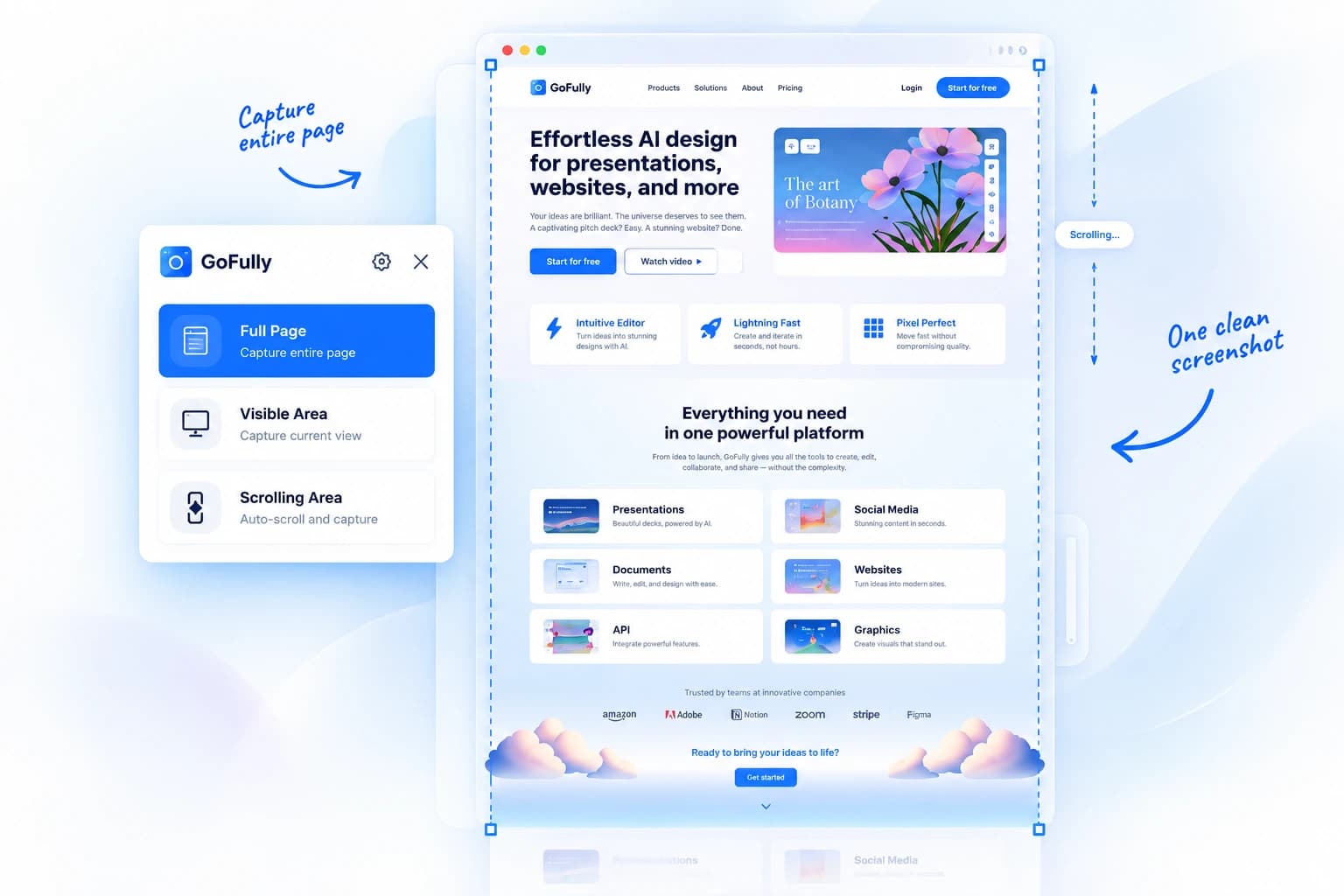
- Full page, region, or scrolling-feed capture modes.
- Automatically manages sticky nav bars and pre-triggers lazy-loaded media; stitches long pages with zero overlap.
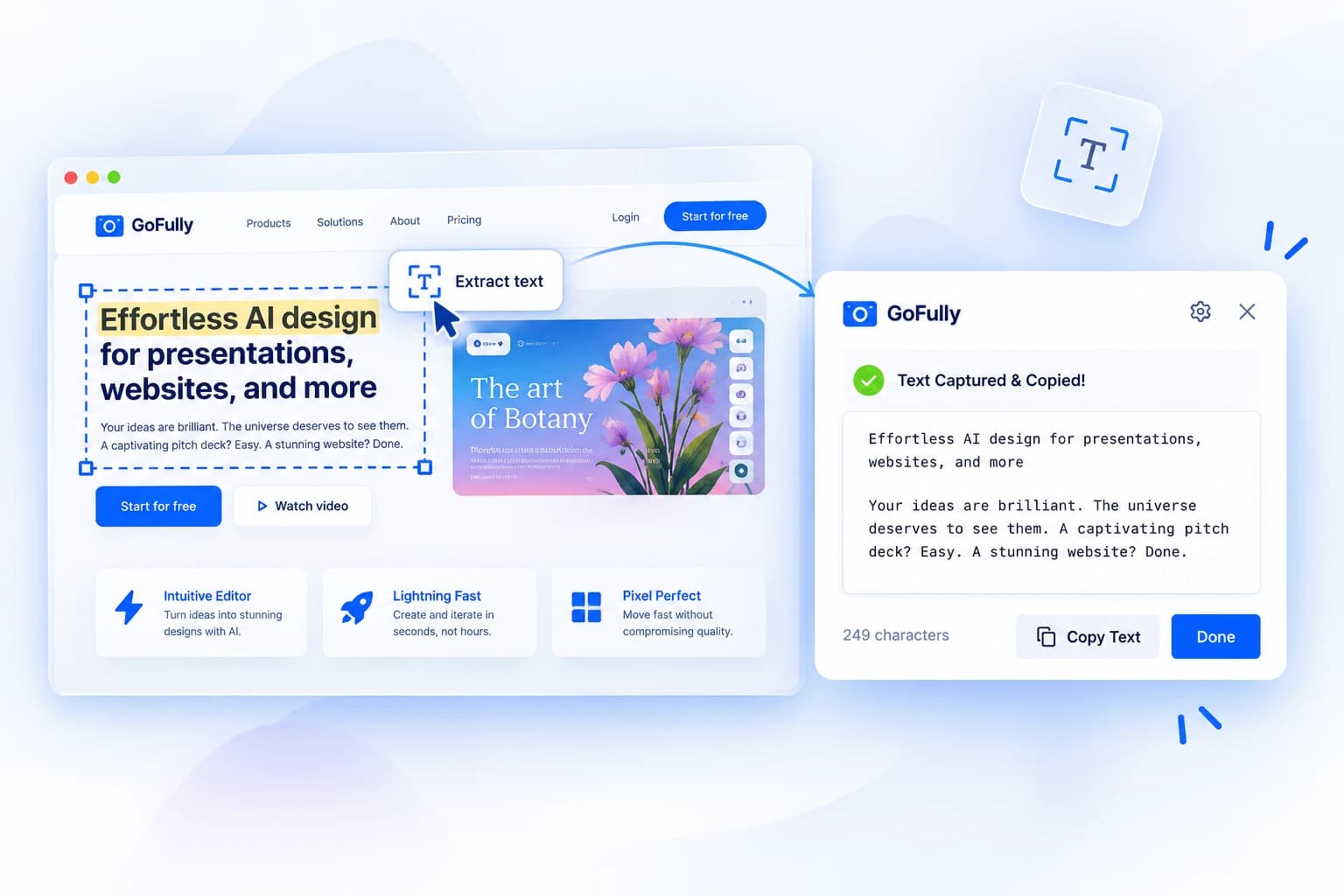
- A local WebAssembly model reads text and code out of any image and copies it straight to the clipboard.
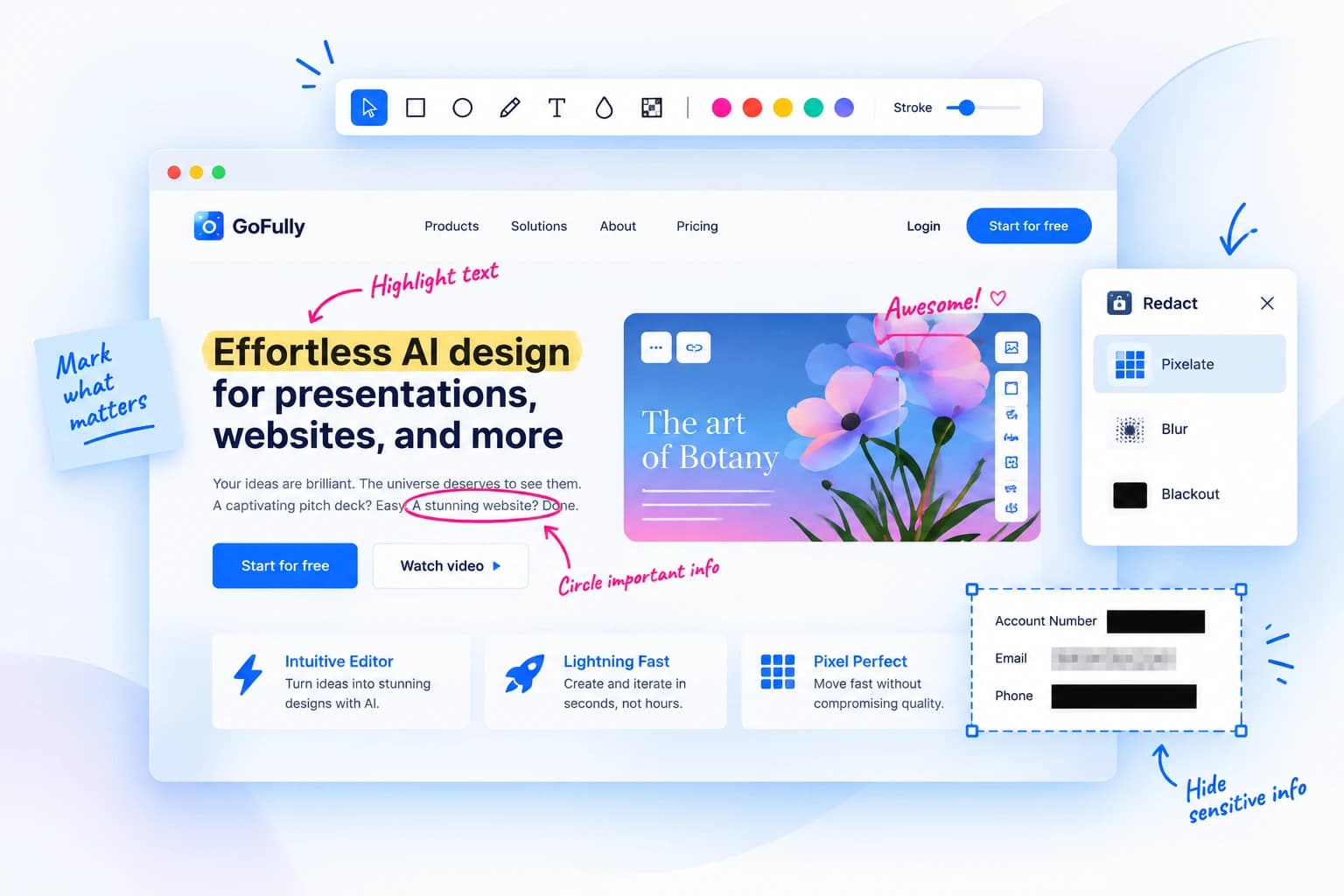
- Arrows, shapes, and callouts, plus one-click blur and pixelate for sensitive info.
- Export to clipboard, PNG, or a paginated PDF, straight from the result bar.
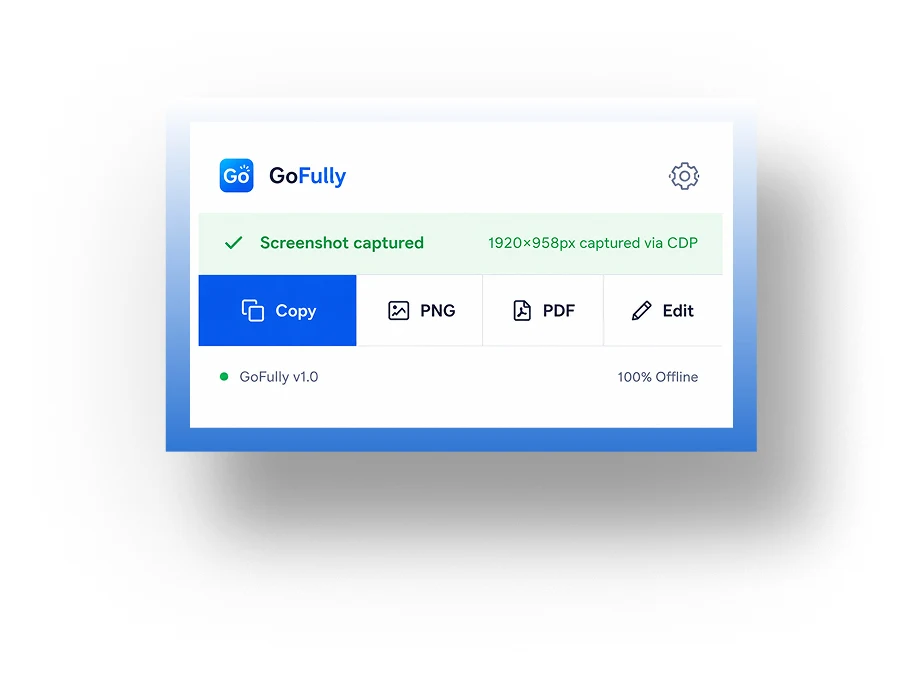
Every other screenshot tool sends the capture to a server first — your screen, in someone else's cloud, before you've even cropped it. GoFully started as a bet that the whole workflow could run locally instead.
Free, offline, and ready in one click — no account, no setup.
Add to Chrome — It's Free