Full Page Screenshot Tool.
One Extension. Every Job.
Capture full scrolling pages or custom regions, extract text with local 6-language WebAssembly OCR, annotate and redact sensitive info, then beautify and export in 4K or PDF — all in one browser extension, 100% free and offline.
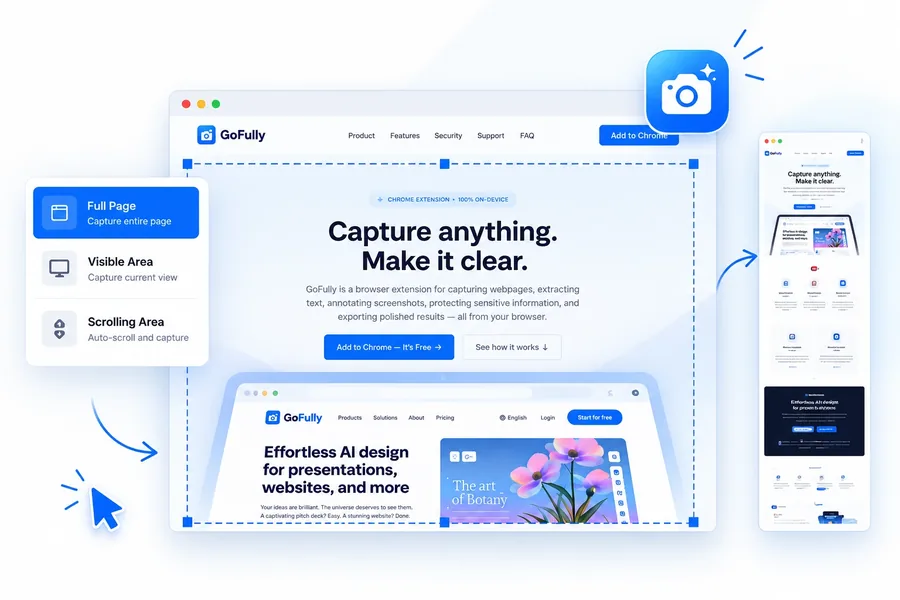
From capture to shareable image in three steps
CAPTURE THE PAGE
Pick full page, visible area, a custom region, a single element, or a scrolling feed. GoFully stitches it into one clean image.
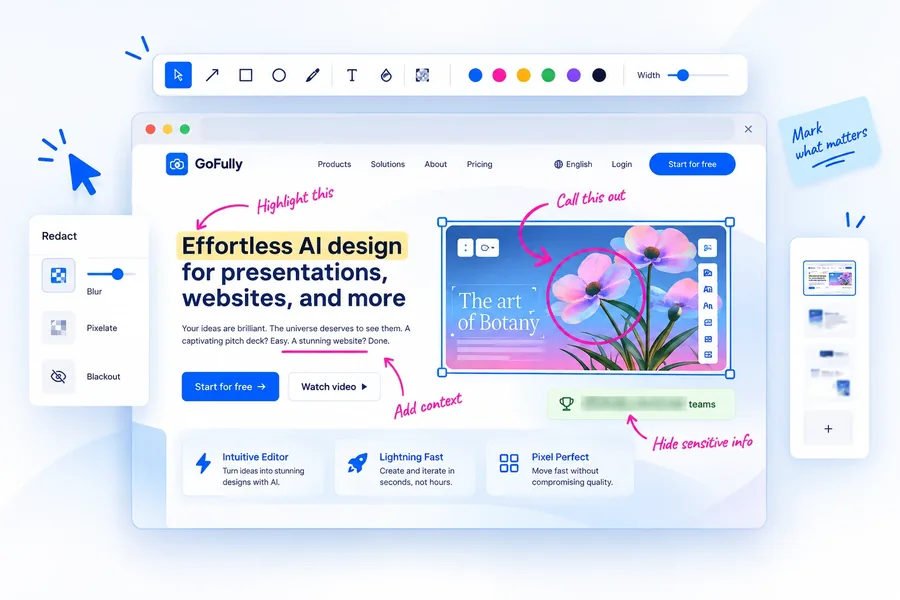
ANNOTATE & REDACT
Call out what matters with arrows, shapes, and text. Blur anything sensitive before it ships.
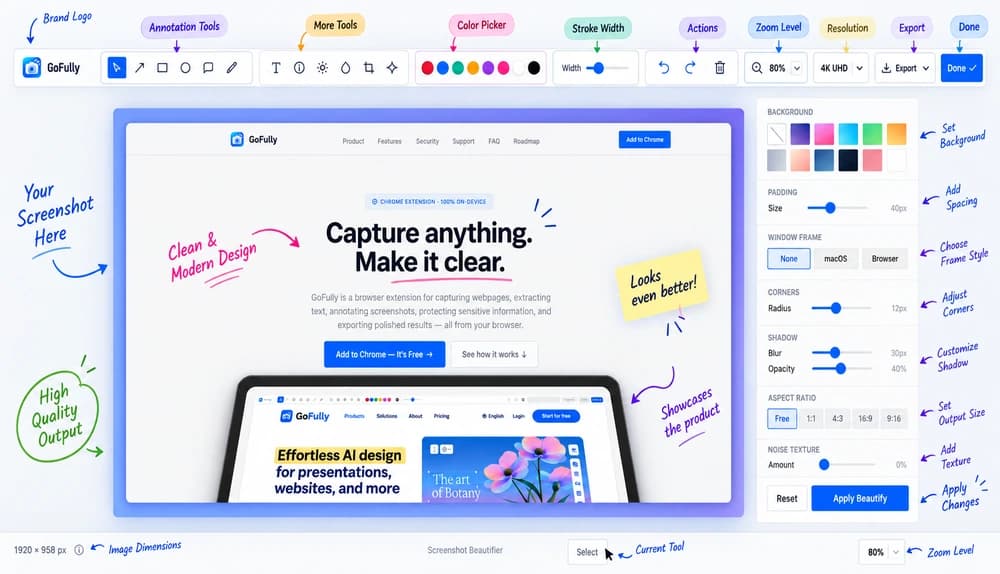
EXPORT INSTANTLY
Copy to clipboard, save as PNG, or export a PDF — straight from the result bar, no dialogs.
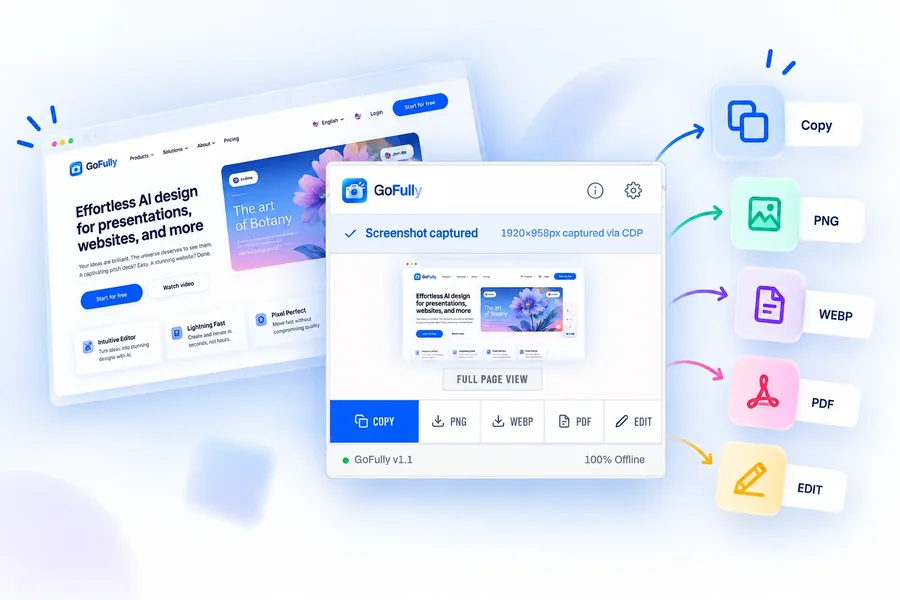
Everything you need to capture, clean up, and share
Five tools that cover the whole workflow — from first capture to final export.
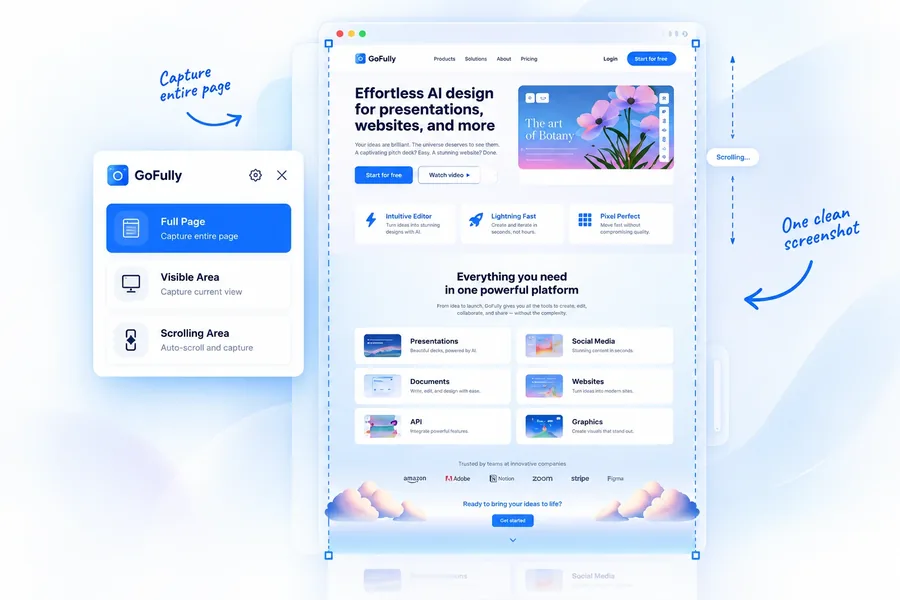
Full-page scrolling capture with auto-pause
Seamlessly capture full-height websites, dashboards, and infinite feeds. GoFully automatically pauses background video playback to avoid frame corruption, dismisses cookie consent banners, handles dynamic sticky headers, and stitches a pixel-perfect canvas with zero overlap.
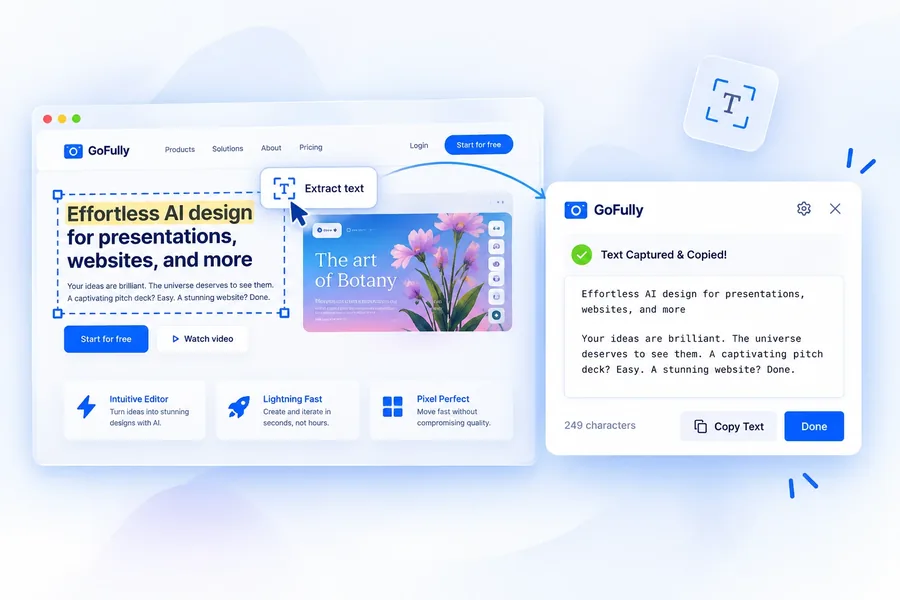
On-device text extraction (6 languages)
Extract readable text, code snippets, and structured tables from any region in milliseconds across English, Spanish, French, German, Portuguese, and Simplified Chinese — with one-click 'Copy as JSON' or plain text. Most screenshot OCR tools send your image to a remote server; GoFully runs a lightweight WebAssembly model directly on your CPU so confidential data never leaves your machine.
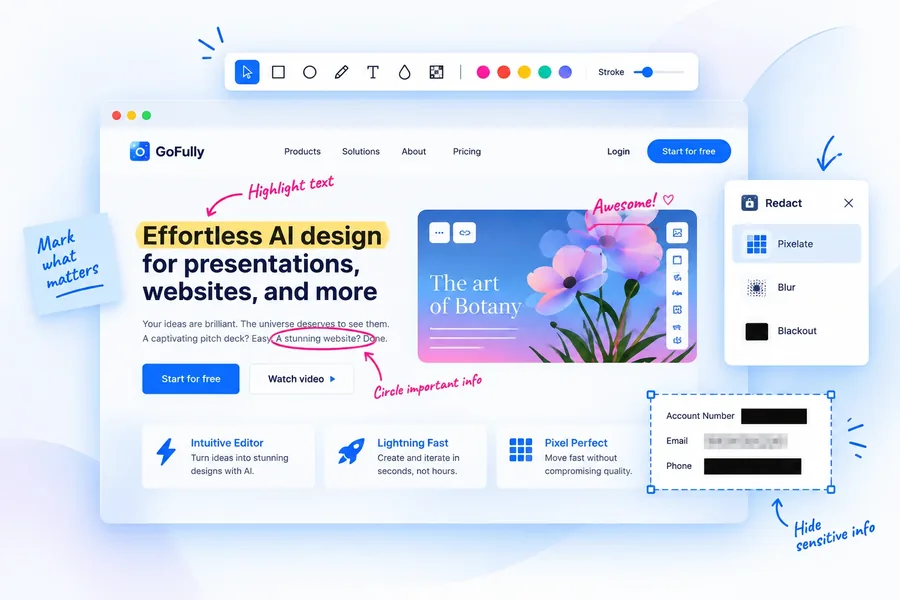
Annotate, highlight & redact
Draw directly on a live website before you capture it. Mark up screenshots with curved arrows, callouts, auto-numbering steps, and a 6-shape tool (rectangles, ellipses, triangles, polygons). Use the CleanShot-style multiply-blend highlighter to emphasize text without hiding it, and zoom up to 1000% for pixel-precise blur. Auto-redact finds emails, card numbers, phone numbers, IP addresses and API keys for you to review.
Screenshot beautifier & mockups
Transform raw screenshots into polished, presentation-ready assets. Pick from gradients, eight wallpapers or your own image, tilt the shot in 3D perspective, add progressive blur, a border and a watermark, add realistic window frames with real page URLs, tweak padding and shadows, assemble multi-image collages, and save your preferred styles as reusable presets.
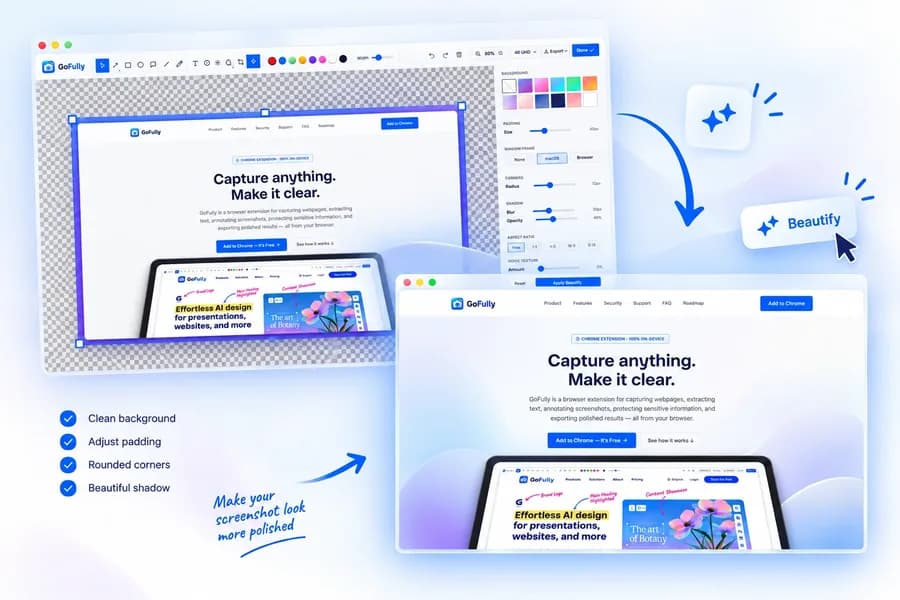
Flexible export (PNG, JPG, WebP, PDF)
Generate an auto-paginated A4 PDF, download a high-res PNG, WebP, or JPG with unified quality control, or copy straight to your clipboard — all accessible in one click right from the result bar after capture.
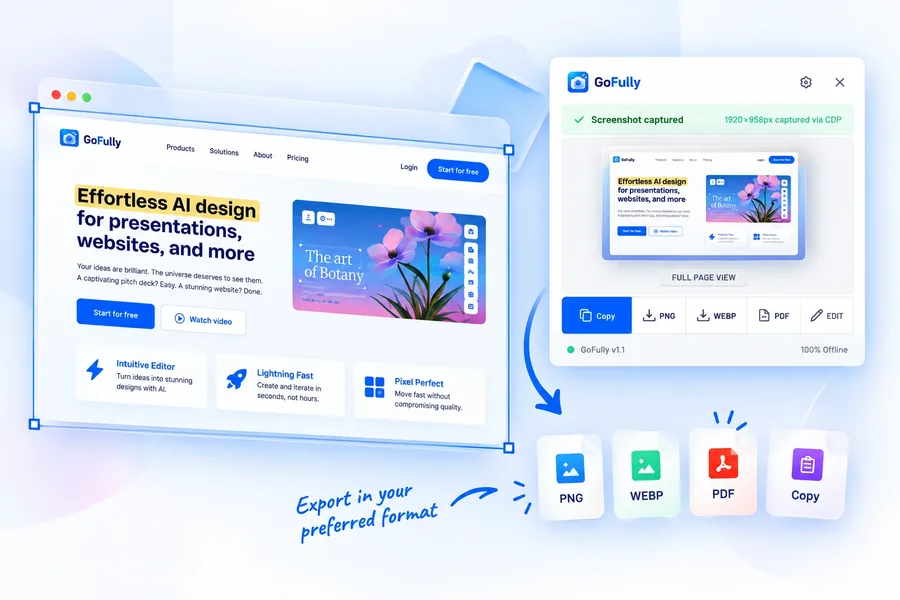
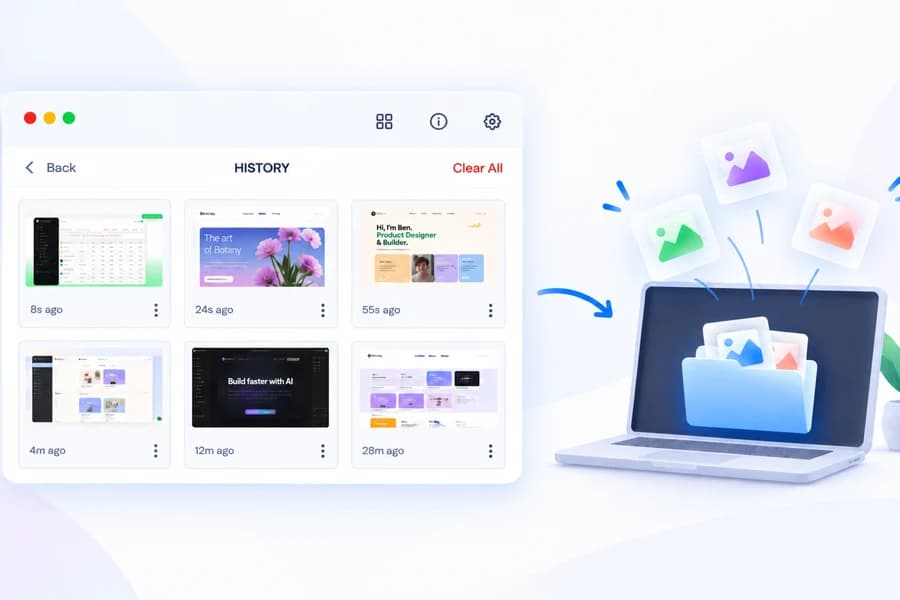
Every capture, saved automatically
GoFully keeps a rolling history of your recent screenshots right in the popup — thumbnail, site, and timestamp — and you can search it by the words inside each screenshot. Turn on Keep recent captures and a click reopens one of your last 10 in the editor. Like everything else in GoFully, history lives only in your browser's own storage. Nothing is uploaded, and Clear All wipes it instantly.
Built for how you actually work
One tool, four very different jobs.
Developers & QA
Document a bug with a full-page capture, annotate exactly what's broken, and export a clean PDF for the ticket — no cropping five separate screenshots together.
Writers & researchers
Pull text out of a paywalled article screenshot, a scanned PDF page, or a chart nobody made selectable, and paste it straight into your notes.
Privacy & compliance teams
Redact account numbers, names, or internal URLs before a screenshot goes into a shared doc or a support ticket — done locally, so the unredacted version never touches a server in the first place.
Anyone sharing screenshots publicly
Run a raw capture through Beautify before it goes on social media or in a blog post, instead of pasting a bare browser window.
Why not just use Chrome's built-in screenshot tool?
DevTools works, right up until it doesn't.
- Skips images that load on scroll — they show up blank
- Ignores sticky headers, so they repeat down the page
- Exports a flat PNG and nothing else
- No text extraction, redaction, or annotation, at all
- Waits for lazy-loaded content before it captures
- Auto-detects and hides repeating sticky elements
- Exports PNG, WebP, or a paginated PDF
- Local OCR, one-click redaction, and full annotation built in
How GoFully stacks up
Feature-for-feature against the most popular screenshot extensions.
| Feature | GoFully | GoFullPage | Awesome Screenshot | FireShot |
|---|---|---|---|---|
| Full-page scroll capture | ||||
| Selected region capture | ||||
| Scrolling area capture | ||||
| Multi-language local OCR (6 langs) | 6 langs | |||
| CleanShot-grade highlighter | ||||
| 6 shape markup tools | ||||
| Privacy redaction (blur/pixelate) | Paid | |||
| Screenshot beautifier & mockups | ||||
| Video auto-pause on scroll | ||||
| PNG, JPG, WebP & PDF export | Partial | |||
| Screenshot history gallery | ||||
| Draw on a live website | ||||
| Auto-redact emails, cards & keys | ||||
| Step-by-step guide export | ||||
| No account required | ||||
| 100% free (no paywalled tools) | ||||
| Works 100% offline |
Comparison based on free tiers as of September 2026. Explore individual teardowns in our Alternatives Comparison Hub or read the full comparison guide.
What users are saying
“By far the best screenshot extension I've used. The OCR feature alone is worth it — I can pull text from any image without leaving the browser.”
“Finally an extension that captures the full page without breaking lazy-loaded images. The beautifier makes my blog screenshots look professional.”
“The privacy redaction is a game-changer for our QA team. We blur client data before attaching screenshots to tickets — no more manual editing in Photoshop.”
Stop juggling three extensions for one job
Capture, annotate, redact, extract text, beautify, and export — all in one extension that never touches a server. No account, no subscription, no catch.
Featured On
GoFully is recognized across software directories and developer tools platforms.